
Conversion Rates by HoxtonAi
People Counter for Shopify Stores
Your Shopify admin tells you exactly how many customers bought online. But what about the ones who walk through your shop door? Hoxton Convert bridges the gap — connecting your front door to your Shopify POS with real-time footfall, conversion rates, and visitor insights.


The Analytics Gap
You know your online conversion rate to two decimal places. But the moment someone walks into your physical shop, you're flying blind. You see 47 transactions — but did 50 people walk in, or 500?
- Sessions & unique visitors
- Conversion rate (to 2 decimal places)
- Traffic sources & attribution
- Cart abandonment rate
- Customer journey & scroll depth
- A/B test results in real time
- What sold
- Who bought it
- Revenue totals
- Inventory levels
- Staff who rang it up
- ...and that's it
How many people walked in and left without buying? You have no way to know.
Three problems this creates

No in-store conversion rate
You can't calculate the single most important retail metric for your physical location.

Marketing is guesswork
Did your Instagram ad bring 10 people in or 100? Without footfall data, you have no idea.

Staffing decisions are blind
Overstaffed on quiet days, understaffed on busy ones. Layout and strategy calls made on gut feel, not data.
That's not a gap. That's a canyon. Read more about bridging online and physical analytics.
Hoxton Convert bridges the gap
An AI-powered people counter for Shopify stores. It counts every person walking through your door, syncs with your Shopify POS in real time, and gives you the in-store conversion rate metrics you've been missing. Think of it as Google Analytics for your physical shop.
An AI computer vision sensor sits above your entrance. It counts every person entering and leaving your store with 98% accuracy — even in groups, bright sunlight, or busy queues.
One-click connection to your Shopify POS. Footfall data syncs automatically — no manual spreadsheets, no API wrestling, no separate accounts.
Footfall from the sensor combined with transaction data from Shopify POS. See: "247 people walked in. 34 purchased. Conversion rate: 13.8%."
Images are anonymised on-device before cloud processing — no identifiable data ever leaves your premises. No facial recognition. Fully GDPR compliant by design.
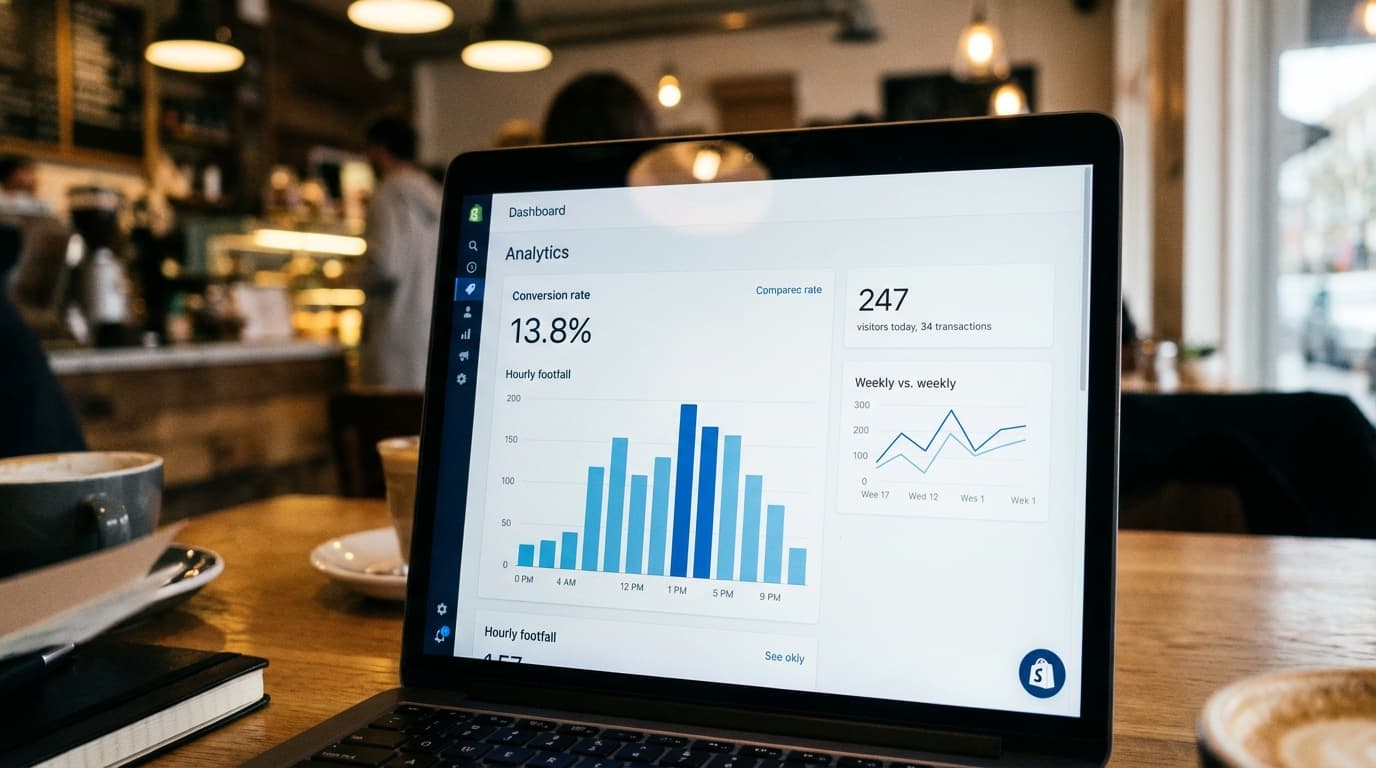
See your conversion rate, hourly footfall patterns, and marketing impact — all in one dashboard connected to your Shopify POS.
Learn more about Hoxton ConvertWhy 98%+ accuracy
Counting based on journey prediction, not simple line crossings
Most people counters fire a +1 the instant something crosses a beam or line. That's fast — but it's also why they overcount. Hoxton works differently: it uses an overhead view to recognise a complete in-view journey and only counts when the journey matches a real entry or exit.
Traditional counters
A single trigger = a count, every time the line is crossed.
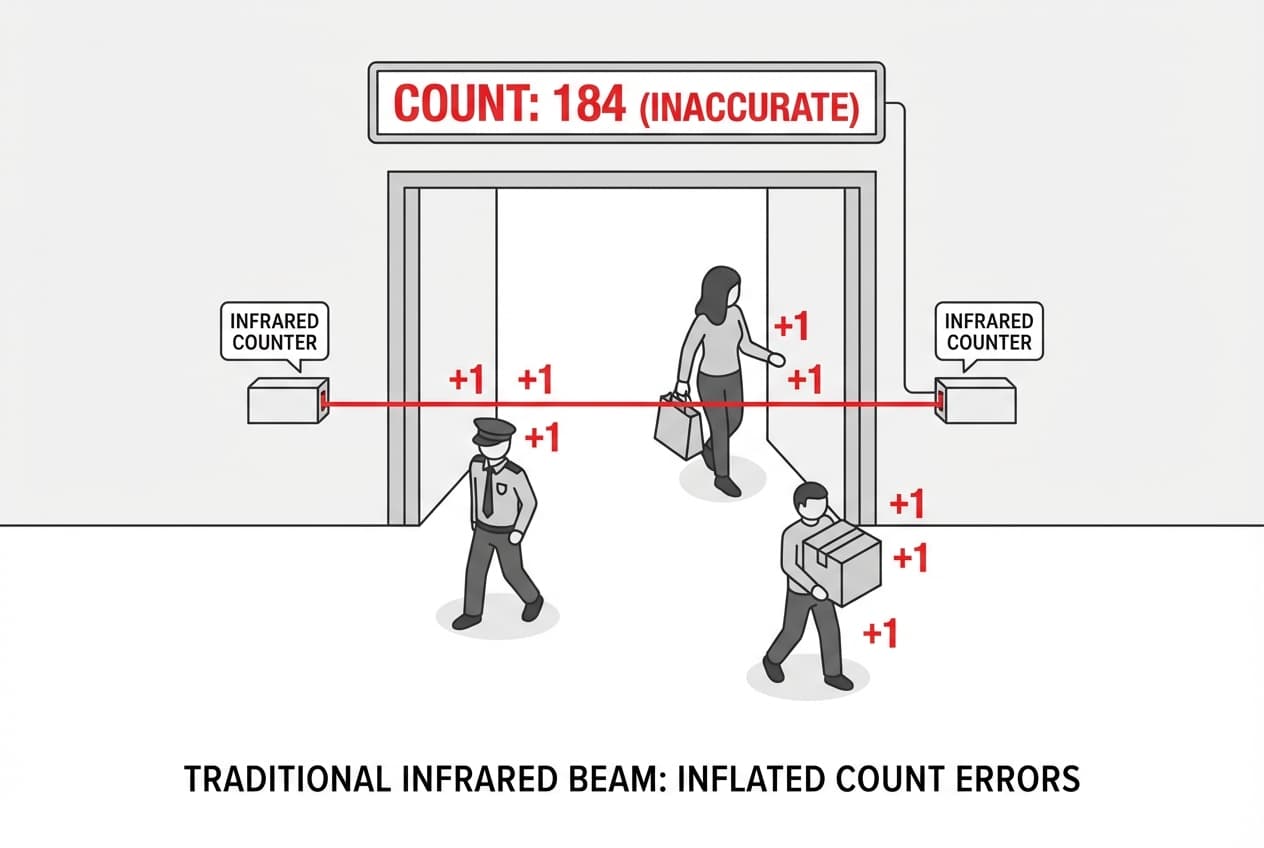
- ●Security guard pacing near the doorway? Counted repeatedly.
- ●Customer steps in, hesitates, turns back out? Often counted twice.
- ●Staff working near the entrance? Every pass inflates the number.
Result: counts drift upward anytime there's “doorway noise”.
Hoxton AI directional event counting
A count is only created when the system confirms a genuine entry/exit event.

- ●Understands a person's in-view journey from arrival to departure.
- ●Someone loops, pauses, or changes their mind? No false extra counts.
- ●A count only registers when they arrive on one side and leave on the other — a real entry or exit.
Result: accurate footfall that matches what actually happened, not how many times a line was crossed.
How directional event and journey prediction works
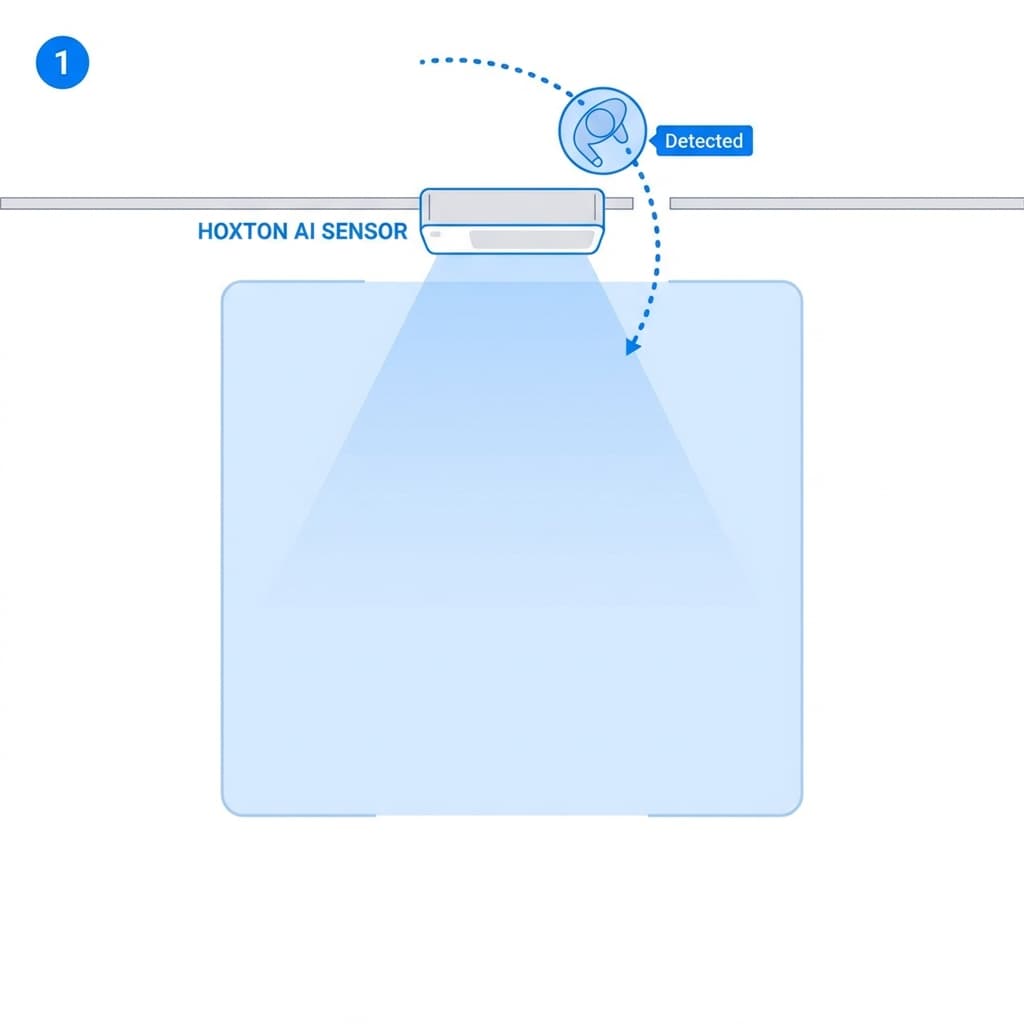
Detect
Person enters the field of view
A person is detected as they arrive in the overhead zone.
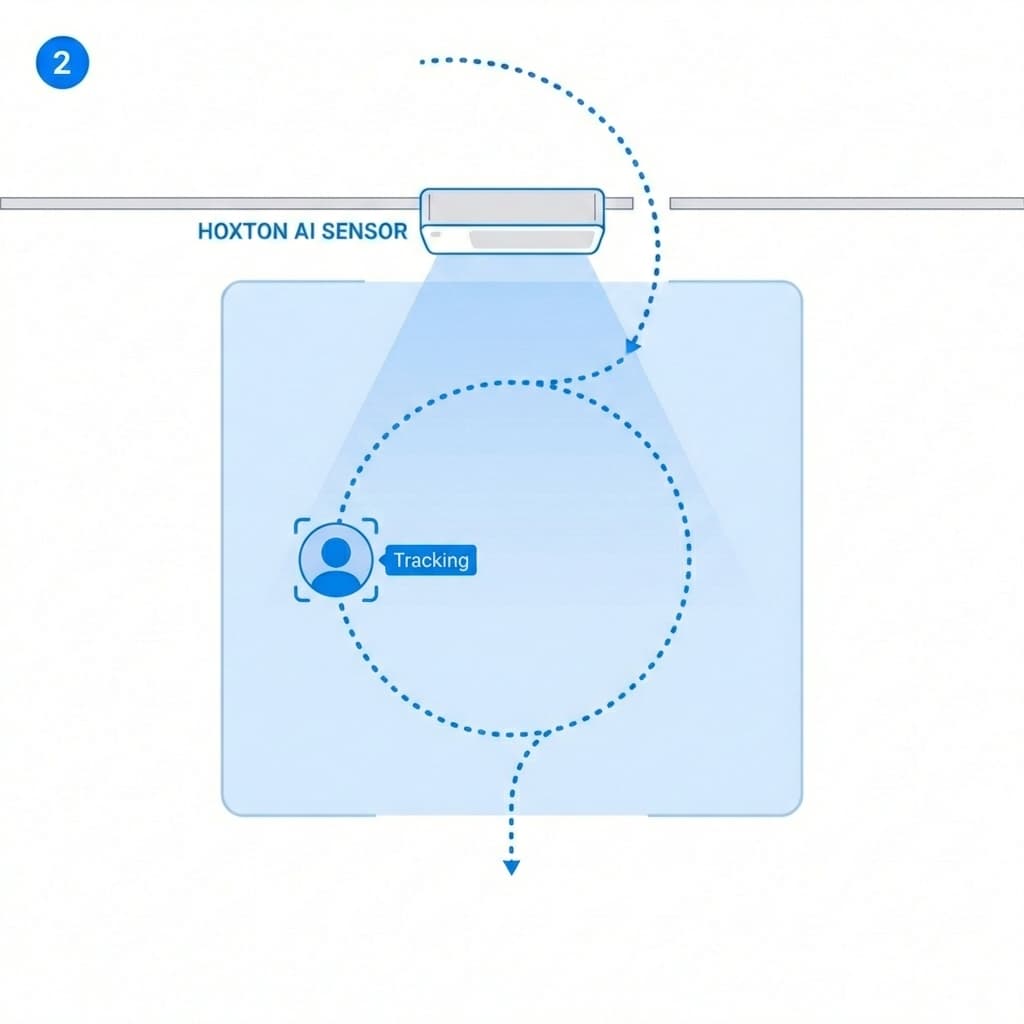
Interpret
Movement is understood in context
The system evaluates whether the movement indicates entering, exiting, or lingering/turning back (including loops and hesitation).
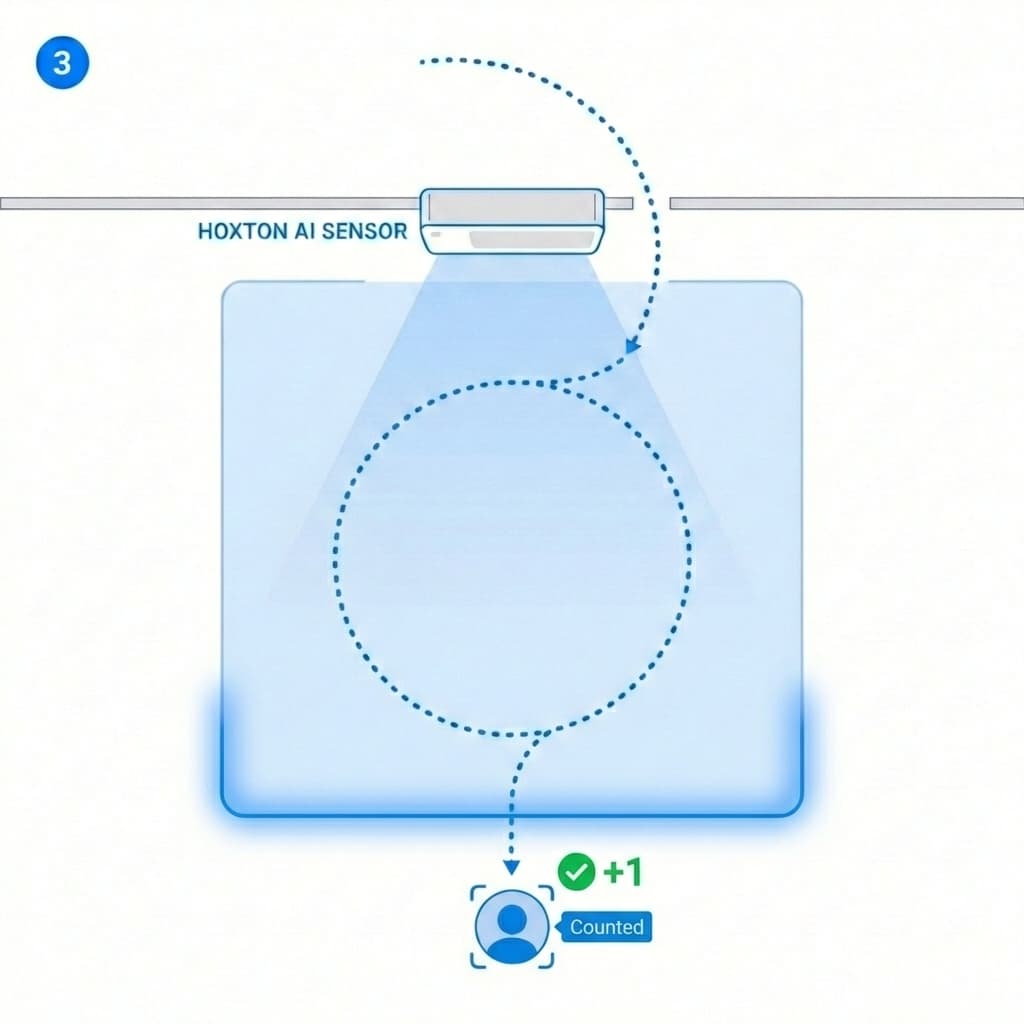
Confirm
Count only when the journey is complete
A count is recorded only when the person leaves the zone in the opposite direction — confirming a true entry/exit event, once.
Four steps to in-store insights
From unboxing to real conversion data in under 30 minutes. No Simple install, no enterprise setup process.
Mount the compact Hoxton Convert sensor above your entrance. It needs a power connection (PoE for a single cable, or a standard power plug plus WiFi). Mounts with adhesive or screws depending on your ceiling type. Invisible to customers.
The sensor connects to your store's WiFi or via ethernet. Install "Conversion Rates by HoxtonAi" from the Shopify App Store, add your store, pair the sensor. If connectivity drops briefly, the sensor keeps counting locally and syncs when connection returns.
In the app, click "Connect Shopify." Approve the integration in your Shopify admin. Footfall and sales data combine automatically.
Within minutes you see real data: how many walked in, how many bought, your conversion rate, busiest hours, and best-performing days — all in your dashboard.
What you can actually measure
Once Hoxton Convert is running, you can answer questions you couldn't answer before. Finally, track your Shopify in-store conversion rate with real data.
Visitors who bought divided by total visitors. By day, week, month, or time of day. The core metric you've been missing.

Real data on when your store is actually busy — not guesswork. Optimise staffing, plan restocking, time your promotions.

Run an Instagram ad. Track the footfall spike. Did your £500 campaign bring 15 people or 150? Now you know.

Pair Shopify POS staff data with footfall. Did Sarah's shift convert at 20% while Ahmed's hit 25%? Powerful for coaching and incentives.

Total revenue divided by footfall. Track this over time to see whether your store is getting more valuable per visit.

Understand how many people browse without buying. Identify where the drop-off happens and what changes move the needle.
Want to dive deeper? Read our guide to Shopify POS analytics for physical stores.
Technology comparison
Most in-store analytics companies use thermal sensors. They're cheap and easy — but mediocre. Here's how the best people counter for Shopify compares.
| Feature | AI Computer Vision Hoxton Convert | Thermal Sensors Most competitors | Infrared Beam Legacy systems |
|---|---|---|---|
| Accuracy | 98% | ~85% | ~70% |
| Groups | Distinguishes individuals | Counts heat blobs (merges close people) | Cannot distinguish groups |
| Sunlight | No problem | Struggles in direct sunlight | Affected by ambient light |
| Children | Counts accurately | May not register | Unreliable |
| Privacy | On-device processing, GDPR native | Varies by vendor | Basic — no image processing |

A 13-point accuracy difference matters. If your store sees 500 daily visitors, a thermal sensor reports ~425. Over a year, that gives you massively skewed conversion rates and wrong decisions.
Trusted by Shopify retailers
Real stores. Real data. Real conversion rate improvements.
98%+
Counting accuracy
15 min
Typical installation time
22%
Average conversion rate improvement
87
Net Promoter Score
“We wanted to make data-driven decisions based on real data rather than basing decisions on information that couldn't be verified.”
Transparent. Simple. Predictable.
No setup fees. No hidden charges. No surprise invoices. Multi-location discounts available.
Annual plans available. Multi-location discounts.
- Hoxton Convert AI sensor
- Dashboard, analytics & real-time reporting
- Full Shopify POS sync & automatic conversion rate
- Email and chat support during business hours
- New features and improvements included
- Hardware support and sensor replacement
FAQs: People Counter for Shopify
Everything you need to know about using Hoxton Convert with your Shopify POS.
Shopify in-store analytics resources
Guides, comparisons, and practical advice for Shopify retailers moving into physical store analytics.
Stop guessing your in-store conversion rate. Start measuring it.
Install in 15 minutes and see your actual footfall and conversion data directly in your Shopify POS interface.