People Counting Technology: A Complete Buyer's Guide
Introduction
Your store needs accurate footfall data. But which people counting technology should you choose?
Options range from simple infrared beams costing £500 to advanced AI-powered cameras costing £8,000+. Each technology has different accuracy, capabilities, and price points. Choosing wrong means poor data driving bad decisions; choosing right enables optimization across staffing, marketing, and operations.
This guide reviews all major people counting technologies, compares them across accuracy, cost, and capabilities, and provides a decision framework for selecting the right solution.
Overview: Five Main People Counting Technologies
Modern retail has five primary options for counting customers:
- Infrared Beam Counters – Simple, low cost, limited accuracy
- Thermal Imaging Sensors – Privacy-friendly, accurate in most conditions
- WiFi & Bluetooth Tracking – Captures behavioral data, limited capture rate
- Stereo Vision Cameras – Accurate, requires visible cameras
- AI-Powered Camera Counting – Highest accuracy, most insights, highest cost
Each fills different needs and budgets. Let's explore them in detail.
1. Infrared Beam Counting
How It Works
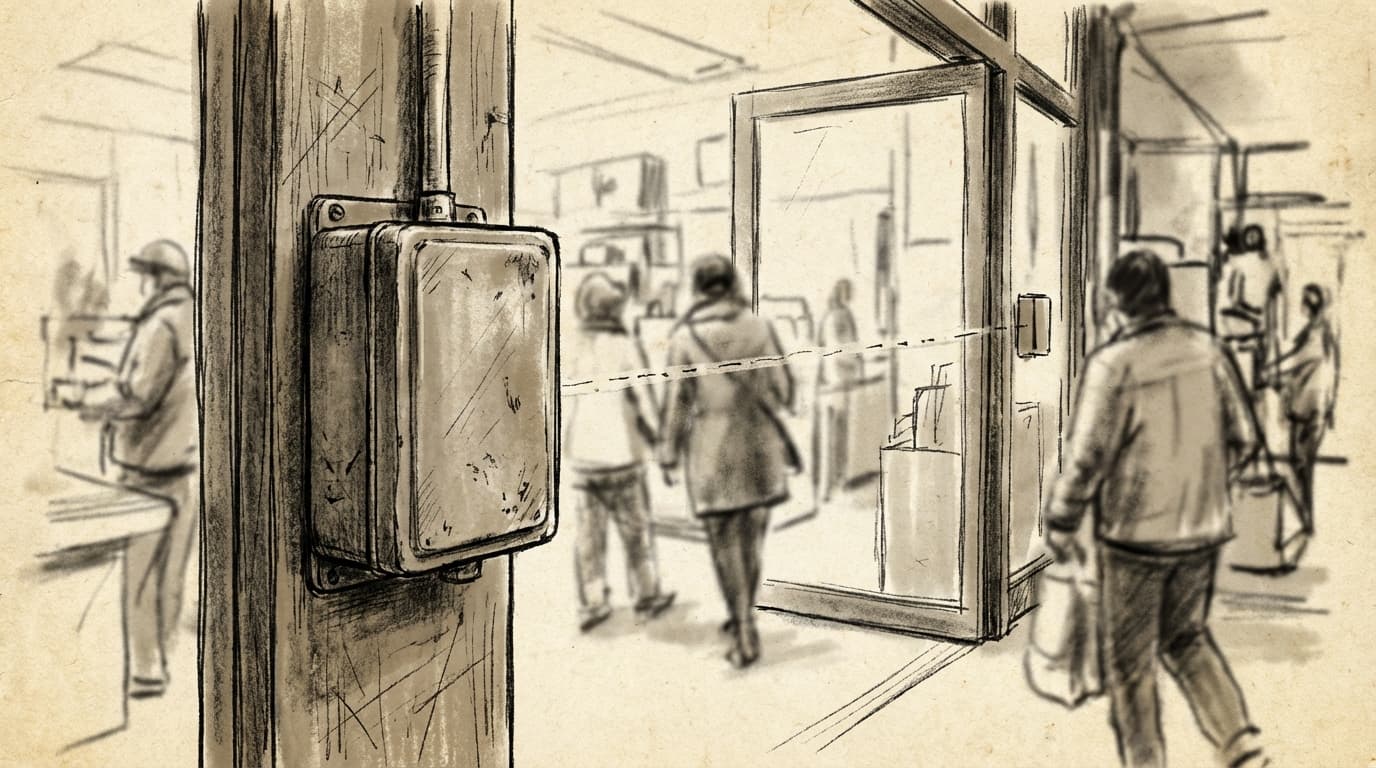
Two infrared sensors positioned across an entry point create an invisible light beam. When someone crosses the beam, a counter increments. Simple and proven technology.
Pros
- Low cost: £500-£2,000 per entry point
- Simple installation: Minimal wiring, doesn't require professional setup
- No privacy concerns: Doesn't record or identify people
- Reliable in controlled conditions: Works well for single, quiet entries
- Low power requirements: Batteries last months
- No ongoing subscriptions: One-time purchase cost
Cons
- Poor accuracy in crowds: Simultaneous entries (people walking together) often uncounted. Accuracy drops 20-30% during busy periods
- Directional issues: Can't distinguish entries from exits without additional sensors
- Environmental sensitivity: Bright sunlight and reflective surfaces interfere
- No behavioral data: Only counts; no insights into dwell time, zones, or behavior
- Difficult integration: Most systems don't connect to modern analytics platforms
- No real-time notifications: Can't alert staff to unusual traffic patterns
Accuracy
- Simple entry conditions: 85-90%
- Busy periods (crowds): 70-80%
- Complex entry points: 60-75%
Cost Breakdown
- Per unit: £500-£1,500
- Installation: £100-£300
- Annual maintenance: £50-£100
Total 5-year cost for single entry: ~£2,500-£4,000
Best For
- Very small retailers (single entry)
- Low foot traffic locations
- Budget-conscious stores willing to accept lower accuracy
- Retailers not requiring behavioral data
Red Flags
- Undercounting during peak hours (common complaint with beams)
- Can't connect to POS or analytics systems
- No way to distinguish entries from exits
2. Thermal Imaging Sensors
How It Works
Thermal cameras detect heat signatures (human body temperature) to count people. As individuals move through defined zones, the system counts them. No visible recording of faces or identification.
Pros
- High accuracy: 88-95% in most conditions
- Works in any lighting: Functions in complete darkness or bright sunlight (unlike optical sensors)
- Directional: Distinguishes entries from exits reliably
- Privacy-friendly: No visible camera, detects heat not identity
- Some behavioral data: Can measure dwell time and zone occupation
- No calibration issues: Temperature-based detection is objective
- Handles crowds better: Thermal signatures distinct even when bodies close together
Cons
- Higher cost: £1,500-£4,000 per entry point (vs. £500-£1,500 for infrared)
- Calibration sensitive: Requires professional installation and alignment
- Environmental interference: Other heat sources (heaters, sunny windows, hot merchandise) can affect accuracy
- Limited integration: Fewer analytics platforms support thermal data
- Requires expertise: Installation and troubleshooting needs experienced technician
- No facial/demographic data: Counts people but can't determine age, gender, or characteristics
Accuracy
- Standard conditions: 90-95%
- Crowds: 88-94%
- Extreme temperatures: 80-90%
Cost Breakdown
- Per unit: £1,500-£3,500
- Professional installation: £300-£600
- Annual support/maintenance: £200-£400
Total 5-year cost for single entry: ~£4,000-£8,000
Best For
- Retailers in difficult lighting (sunlit storefronts, dark venues)
- Multi-entry points requiring directional counting
- Venues prioritizing privacy over behavioral data
- Locations with environmental challenges (outdoor entries, variable lighting)
Red Flags
- Cost approaching stereo vision (consider stereo vision instead for better data)
- Struggling with thermal interference in environment
- Limited vendor support in your region
3. WiFi & Bluetooth Tracking
How It Works
Sensors detect WiFi and Bluetooth signals from customer smartphones. When a phone connects to your WiFi network or detects a Bluetooth beacon, the system records a visit. Can track movement through store via multiple beacon locations.
Pros
- Behavioral insights: Measures dwell time, repeat visits, zone traffic (which areas customers visit)
- Customer identification: Can identify repeat customers if they connect multiple times
- Demographic potential: Can connect to customer databases for insights
- Relatively affordable: £1,000-£3,000 for store-wide coverage
- Easy installation: Beacons are small, wireless, powered by batteries
- Integrates with retail systems: Works with many POS and loyalty programs
- Real-time data: Instant dashboards and notifications
Cons
- Low capture rate: Only 30-50% of customers have Bluetooth enabled. Not suitable as primary counter
- Privacy concerns: Tracking phones raises privacy and legal issues (requires clear signage, privacy policy)
- Requires promotion: WiFi sign-up friction; not all customers will connect
- Undercounts significantly: Can't be used alone for accurate conversion calculations
- Environmental sensitivity: Walls, interference affect signal strength
- Battery replacement: Beacons require ongoing maintenance
- Data limitations: Doesn't count non-smartphone users, children, or people with Bluetooth off
Capture Rate
- Best case (high tech-savvy demographic, strong promotion): 50-60%
- Typical: 40-50%
- Weak execution: 20-30%
Cost Breakdown
- Beacon hardware: £150-£300 each (4-6 needed for medium store)
- Monthly software subscription: £100-£300
- Installation and setup: £200-£500
Total 5-year cost: ~£2,500-£4,500 (ongoing subscription required)
Best For
- Retailers wanting behavioral data (not just counts)
- Loyalty program-heavy businesses (identifying repeat customers)
- Fashion/lifestyle brands with tech-savvy customers
- Locations where tech adoption is high
- Secondary system (used alongside beams or cameras for enrichment, not primary counting)
Red Flags
- Using as primary footfall counter (too much undercounting)
- Privacy policy not clear to customers
- Expecting high capture rates without strong promotion
- Poor integration with existing systems
4. Stereo Vision Cameras
How It Works
Multiple cameras positioned at different angles use depth perception (like human eyes) to detect and count people. Software calculates 3D position and movement. No facial recognition; just body detection and counting.
Pros
- High accuracy: 92-97% even in most challenging conditions
- Directional: Reliable entry/exit distinction
- Behavioral data: Measures dwell time, store zones visited, crowd density
- Flow patterns: Understands how customers move through store
- Works in crowds: Distinguishes multiple people even when close together
- Improving technology: Continuously improving as algorithms advance
- Relatively mature: Proven technology, many installations
- No privacy concerns: Detects bodies, not faces (privacy-preserving)
Cons
- Visible cameras: Requires mounted cameras (raises privacy concerns despite being privacy-preserving)
- Lighting-dependent: Works best in good lighting; struggles in very dark areas
- Installation complexity: Requires professional calibration and mounting
- Setup expertise: Proper angle/spacing critical for accuracy
- Higher cost: £2,000-£6,000 per entry point
- Integration variable: Depends on vendor; some platforms integrate well, others don't
- Perceived surveillance: Visible cameras deter some customers regardless of actual data use
Accuracy
- Controlled conditions: 94-97%
- Crowds: 88-94%
- Complex entry points: 90-95%
Cost Breakdown
- Camera hardware: £800-£2,500
- Installation and calibration: £300-£800
- Monthly software subscription: £50-£150
- Annual maintenance: £100-£300
Total 5-year cost: ~£3,500-£8,000
Best For
- High-traffic retail locations
- Shopping centers and malls
- Multi-level or complex store layouts
- Large format retail (supermarkets, department stores)
- Venues requiring crowd management (theaters, stadiums)
- Situations where behavioral data (zones, dwell time) is valuable
Red Flags
- Poor lighting conditions (consider thermal imaging instead)
- Very budget-constrained (infrared beam is cheaper)
- Strong privacy resistance from customers
- Complex integration requirements with existing systems
5. AI-Powered Camera Counting
How It Works
AI-trained on millions of images detects humans in video feeds using deep learning. Modern systems identify human bodies, count entries/exits, measure dwell time, analyze behavior patterns, and estimate demographics (age ranges, gender) without identifying individuals. Data typically syncs to cloud dashboards.
Pros
- Highest accuracy: 96-99% even in complex, crowded environments
- Rich behavioral data: Entry/exit, dwell time, zone heatmaps, crowd density, queue detection
- Demographic insights: Can estimate age ranges and gender (without identifying individuals)
- Staff-customer ratios: Detects staff and measures customer service capacity
- Real-time alerts: Notifications for long queues, capacity issues, understaffing
- Single camera covers wide area: One camera can monitor larger spaces
- Continuous improvement: AI improves over time as it learns your store
- Integration: Cloud-based systems integrate easily with modern retail tech
- Scalable: Easy to add cameras for multi-store operations
- Advanced analytics: Heatmaps, traffic patterns, peak forecasting
Cons
- Highest cost: £3,000-£8,000+ per camera, plus subscription (£100-£500/month)
- Internet requirement: Requires reliable internet connection (video upload)
- Setup complexity: Professional installation and AI calibration required
- Perception of surveillance: Visible cameras, even if privacy-preserving, can worry customers
- Vendor lock-in: Data stored on provider servers; switching difficult
- Privacy concerns: Requires clear privacy policies and customer consent
- Regulatory compliance: GDPR/privacy laws may require legal review
- Technical support dependency: Need vendor support for issues
Accuracy
- All conditions: 96-99%
- Crowded environments: 96-99%
- Complex entry points: 96-99%
- Extreme conditions: 94-98%
Cost Breakdown
- Camera hardware: £1,500-£4,000
- Professional installation: £500-£1,500
- Monthly subscription: £100-£500 depending on features
- Annual support: Included in subscription
Total 5-year cost for single location: ~£6,000-£20,000+ (depending on subscription tier and features)
Best For
- Enterprise retailers (multiple locations)
- Shopping centers and malls
- Venues where real-time capacity management is critical
- Businesses justifying detailed analytics (fashion, luxury, hospitality)
- Locations valuing operational insights (queue management, staffing optimization)
- Companies measuring marketing ROI through footfall attribution
Red Flags
- Cost unjustifiable relative to location footfall and revenue
- Poor internet connectivity
- Privacy concerns not addressed with customers
- Concern about data storage and vendor lock-in
Technology Comparison Matrix
| Feature | Infrared Beam | Thermal | WiFi/BLE | Stereo Vision | AI Camera |
|---|---|---|---|---|---|
| Accuracy | 80-90% | 88-95% | 40-60%* | 92-97% | 96-99% |
| Entry/Exit | No | Yes | No | Yes | Yes |
| Dwell Time | No | Basic | Yes | Yes | Yes |
| Behavioral Data | No | No | Yes | Basic | Yes (Rich) |
| Demographic Data | No | No | No | No | Yes (Estimated) |
| Works in Dark | Yes | Yes | Yes | No | Yes |
| Works in Crowds | No | Yes | Yes | Yes | Yes |
| Privacy-Friendly | Yes | Yes | Concerns | Yes | Some Concerns |
| Upfront Cost | £ | ££ | £ | £££ | ££££ |
| Subscription Cost | None | Low | Moderate | Low-Moderate | High |
| Installation Complexity | Low | Moderate | Low | High | High |
| Real-Time Alerts | No | No | Yes | Limited | Yes |
| Integration | Poor | Poor | Good | Moderate | Excellent |
| Best For | Budget/Small | Privacy/Difficult Light | Behavioral Data | High-Traffic/Data-Rich | Enterprise/Analytics |
*WiFi/BLE capture rate, not counting accuracy
Accuracy Comparison in Real-World Scenarios
Scenario 1: Small Boutique (100 daily visitors, single entry)
| Technology | Accuracy | Cost | Recommendation |
|---|---|---|---|
| Infrared | 85% | £ | Best for budget |
| Thermal | 92% | ££ | Recommended for accuracy |
| WiFi | 35 visitors captured | £ | Too much undercounting |
| Stereo Vision | 94% | ££££ | Overkill for traffic volume |
| AI Camera | 98% | ££££ | Overkill for traffic volume |
Recommendation: Thermal imaging. Budget-friendly, accurate enough for small store needs.
Scenario 2: Mid-Size Fashion Retail (500 daily visitors, 2-3 entries)
| Technology | Accuracy | Cost | Recommendation |
|---|---|---|---|
| Infrared | 75% (crowds) | £ | Undercounts significantly |
| Thermal | 90% | ££ | Good, reliable choice |
| WiFi | 150-200 captured | £ | Undercounts; use with other tech |
| Stereo Vision | 94% | ££££ | Good accuracy, moderate cost |
| AI Camera | 98% | ££££+ | Best option if ROI justifies |
Recommendation: Stereo vision or AI camera. Mid-to-high traffic justifies higher accuracy investment.
Scenario 3: Large Format Retail (2,000+ daily visitors, multiple entries/zones)
| Technology | Accuracy | Cost | Recommendation |
|---|---|---|---|
| Infrared | 70% (fails in crowds) | £ | Not suitable |
| Thermal | 88% | ££ | Possible, but limited insights |
| WiFi | 600-800 captured | £ | Insufficient for counting |
| Stereo Vision | 92% | ££££ | Solid choice |
| AI Camera | 98% + rich data | ££££+ | Best choice for scale/insights |
Recommendation: AI camera. Volume and operational complexity justify investment; ROI through staffing, queue management, marketing attribution.
Scenario 4: Shopping Center (10,000+ daily visitors, 8+ entries)
| Technology | Accuracy | Cost | Recommendation |
|---|---|---|---|
| Infrared | 60-70% | £ | Not suitable |
| Thermal | 88% | ££ (×8 = high total) | Insufficient insights |
| WiFi | 2,000-3,000 captured | £ | Supplementary only |
| Stereo Vision | 92% | ££££ (×8 = £20-40k) | High cost for multiple locations |
| AI Camera | 98% + zone-level data | ££££+ (×8) | Best for multi-entry complexity |
Recommendation: AI camera with zone-level monitoring. Tenant attribution, capacity management, and operational insights justify investment.
Cost Comparison Table
| Technology | Per-Unit Hardware | Installation | Monthly Subscription | 5-Year Total (1 location) |
|---|---|---|---|---|
| Infrared Beam | £500-£1,500 | £100-£300 | £0 | £2,500-£4,000 |
| Thermal Imaging | £1,500-£3,500 | £300-£600 | £0-£50 | £4,000-£8,500 |
| WiFi/Bluetooth | £800-£1,500 (beacons) | £200-£500 | £100-£300 | £2,500-£4,500 |
| Stereo Vision | £800-£2,500 | £300-£800 | £50-£150 | £3,500-£8,000 |
| AI Camera | £1,500-£4,000 | £500-£1,500 | £100-£500 | £6,000-£20,000+ |
Note: Costs vary by vendor, region, complexity. Request detailed quotes.
Decision Framework: Choosing Your Technology
Step 1: Assess Your Needs
Traffic Volume
- Low (< 300/day): Infrared or thermal sufficient
- Medium (300-1,000/day): Thermal or stereo vision
- High (1,000+/day): Stereo vision or AI camera
Data Requirements
- Counting only: Infrared or thermal
- Counting + dwell time: WiFi, stereo vision, or AI
- Counting + behavior + demographics: AI camera
Locations
- Single store: Consider smaller investment
- Multi-store: Consider standardized platform (usually AI camera across locations)
Budget
- Under £5,000 5-year budget: Infrared or thermal
- £5,000-£10,000: Stereo vision or WiFi+thermal combo
- £10,000+: AI camera
Step 2: Evaluate Your Environment
Lighting Conditions
- Variable/difficult lighting: Thermal or AI (avoid optical)
- Good/consistent lighting: All options viable
Entry Complexity
- Single clear entry: Infrared acceptable
- Multiple entries or unclear zones: Stereo vision or AI
Noise/Crowds
- Quiet, low-traffic: Infrared viable
- Crowds or peak surges: Thermal, stereo vision, or AI
Internet Reliability
- Poor connectivity: Avoid cloud-based AI (need local processing)
- Good connectivity: AI camera is good fit
Step 3: Evaluate Vendor
- References: Request case studies from similar retailers
- Integration: Does it connect to your POS, marketing tools, property system?
- Support: What's the response time for issues? Local support available?
- Roadmap: Is the vendor investing in improvements or stagnant?
- Contract terms: Annual, multi-year, monthly? Cancellation terms?
- Data ownership: Who owns the data? Can you access it if you switch?
Step 4: Conduct Trials
Before committing:
- Request 2-4 week trial at your location
- Compare against manual counts (sample 100-200 people manually, compare system count)
- Test integrations with your systems
- Evaluate support quality
- Check accuracy across different times (quiet vs. peak)
Step 5: Calculate ROI
Build a business case:
Costs: Hardware + installation + annual subscriptions (5-year view)
Benefits:
- Improve conversion rate 1% = [footfall × 1%] × [ATV] × 52 weeks (annual revenue impact)
- Optimize staffing (reduce 1 FTE position) = ~£20,000/year savings
- Better inventory (reduce markdowns 2%) = significant savings
- Marketing attribution (identify effective campaigns, allocate budget better)
Most retailers recoup investment within 12-24 months through operational improvements.
Implementation Best Practices
Before Installation
- [ ] Audit all entry/exit points
- [ ] Assess lighting and environmental conditions
- [ ] Verify internet connectivity (if cloud-based)
- [ ] Identify power sources near entries
- [ ] Prepare integration documentation for IT
- [ ] Schedule staff training
During Installation
- [ ] Oversee professional calibration
- [ ] Test in peak and off-peak hours
- [ ] Verify integrations work
- [ ] Ensure staff training is conducted
- [ ] Document system settings and access
After Installation (First Month)
- [ ] Monitor accuracy (manual spot checks)
- [ ] Establish baseline metrics
- [ ] Set up alerts and dashboards
- [ ] Brief staff on data use
- [ ] Plan weekly reviews with team
Future Trends in People Counting
1. Edge AI Processing
Moving AI processing to the camera itself (rather than cloud) for privacy and reliability. Cameras process video locally; only metrics transmitted, not footage.
2. Privacy-Preserving Analytics
Advanced techniques (homomorphic encryption, federated learning) enable behavioral insights without recording identifiable data. Future direction: all benefits of AI without privacy concerns.
3. Multi-Sensor Fusion
Combining multiple sensor types (thermal + stereo + infrared) for redundancy and enhanced accuracy. If one sensor fails, others compensate.
4. Predictive Analytics
ML models predicting next-hour traffic based on patterns, weather, events. Enables automatic staff scheduling and inventory positioning.
5. Omnichannel Integration
Linking online and offline traffic. Understanding which online visitors later visit stores, and vice versa. Complete customer journey visibility.
Common Mistakes to Avoid
Mistake 1: Choosing Based on Upfront Cost Alone
A £500 inaccurate counter is more expensive than a £5,000 accurate one. Focus on total 5-year cost and ROI.
Mistake 2: No Vendor Due Diligence
Choosing based on price alone leads to poor support, vendor failure, or incompatibility. Invest time in vendor evaluation.
Mistake 3: Inadequate Testing
Requesting a trial in one store then rolling out to 10 stores without testing each environment. Every location is different.
Mistake 4: Not Addressing Privacy Concerns
Implementing visible cameras without privacy policy or customer communication creates trust issues. Be transparent.
Mistake 5: Implementation Without Staff Training
Staff who don't understand footfall data won't use it. Invest in training so teams act on insights.
Mistake 6: Choosing Overly Complex Solution
A small boutique doesn't need an enterprise AI system. Match technology to needs and budget.
Mistake 7: Ignoring Integration
A great counting system that doesn't integrate with your POS or CRM creates manual workarounds and reduces ROI.
Conclusion
Choosing people counting technology depends on your traffic volume, data needs, budget, and environment. There's no universally "best" solution—only the best solution for your specific situation.
- Budget-conscious small retailers: Thermal imaging offers the best accuracy-to-cost ratio
- Growing mid-size retailers: Stereo vision provides solid accuracy with reasonable cost
- Enterprise and high-traffic locations: AI cameras justify investment through operational and marketing insights
- Behavioral data focus: WiFi/Bluetooth as supplementary technology (not primary counter)
Start by defining your requirements, evaluating your environment, and testing vendors. Build a business case showing ROI through staffing optimization, conversion improvement, and marketing attribution. Most retailers recoup investment within 18 months.
The retailers dominating today's landscape aren't just counting customers—they're using accurate footfall data to optimize every decision from staffing to layout to marketing spend.
Call to Action
Ready to select people counting technology?
Schedule a 20-minute consultation with our retail analytics experts to discuss:
- Your traffic volume and location characteristics
- Data and integration requirements
- Budget constraints
- Implementation timeline
We'll help you navigate options, avoid costly mistakes, and select the technology that delivers ROI for your business.
[Book a Consultation] – let's find the right solution for your store.
Or [Download the Technology Selection Worksheet] to guide your evaluation process:
- Environment assessment checklist
- Requirements prioritization matrix
- Vendor evaluation template
- ROI calculation worksheet
- Implementation timeline
[Download Worksheet] and start your evaluation today.
Hoxton Analytics provides AI-powered people counting and retail analytics. We partner with leading footfall technology providers and help retailers select, implement, and optimize counting systems for accurate, actionable business insights.