You’ve seen them in airports, restaurants, retail stores, and hospitals: sleek touchscreen kiosks asking “How would you rate your experience today?” with a simple row of smiling to frowning faces.
These are feedback terminals—and they represent a generational shift in how businesses collect customer feedback.
Yet most people don’t fully understand what they are, how they evolved, or which types actually deliver actionable insights. This guide explores the complete landscape of feedback terminals: their history, categories, use cases across industries, and how to select the right one for your needs.
What Is a Feedback Terminal?
A feedback terminal is a self-service device that captures customer feedback in real time, immediately after a service interaction or experience.
Core characteristics:
- Standalone hardware. Typically a kiosk, tablet, or wall-mounted display
- Self-service. Customers initiate and complete feedback themselves
- Real-time capture. Feedback collected immediately, while the experience is fresh
- Automated processing. Responses digitized and stored automatically
- Minimal friction. Designed to take 10-60 seconds to complete
The terminal’s purpose is straightforward: replace comment cards, customer service surveys, and informal feedback with systematic, scalable data collection that’s difficult to ignore or lose.
The Evolution: From Buttons to AI
Generation 1: Simple Smiley Buttons (2000s)
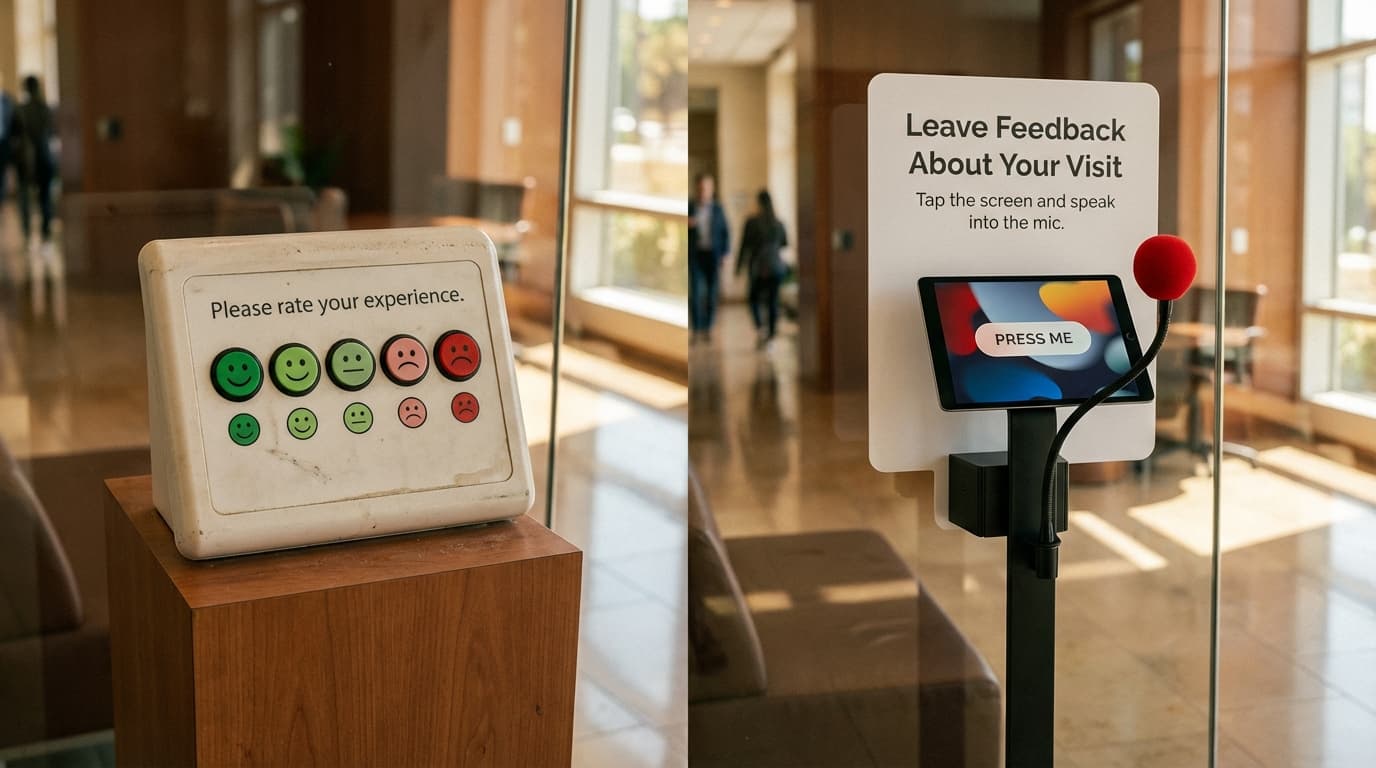
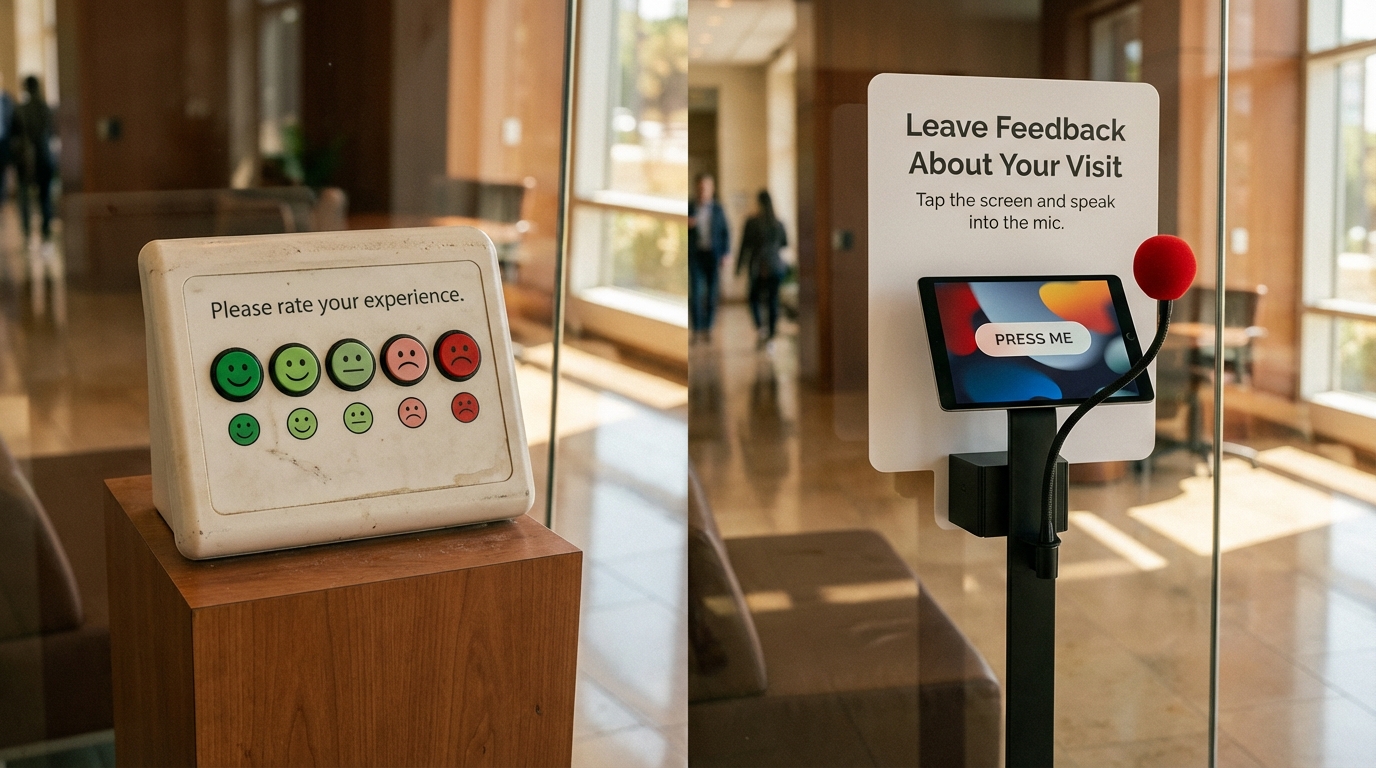
The earliest feedback terminals were wonderfully simple. A screen displayed a single question: “Were you satisfied?” Below it, a row of five buttons ranging from a frown to a smile.
Customers pressed one button. Done.
Why this worked: - Genuinely frictionless (literally a one-button click) - Worked in any language—smileys are universal - Generated quantitative data (satisfaction percentages)
Why it was limited: - No context. You know 72% were satisfied, but not why - No open-ended feedback for nuance or ideas - Smiley terminals became ubiquitous, annoying, and ignored - No separation between different service elements (good food, but slow service, for example)
These smiley terminals dominated feedback for over a decade and remain common in transport hubs and fast-casual dining.
Generation 2: Multi-Question Touchscreen Surveys (2010s)
As touchscreen technology improved and costs dropped, feedback terminals evolved. Instead of one smiley button, terminals now displayed full surveys:
- Overall satisfaction (1-5 scale)
- Net Promoter Score question (“How likely to recommend?”)
- Category-specific ratings (food quality, staff courtesy, wait time)
- Open-ended text box (“What could we improve?”)
Customers swiped through screens, entering ratings and typing comments. Responses were emailed to management or synced to cloud dashboards.
Advantages over simple buttons: - Richer data across multiple dimensions - Open-ended feedback for qualitative insight - Dashboards enabled real-time monitoring - More difficult to ignore (harder to dismiss as marketing gimmick)
Persistent limitations: - Typing on touchscreens remains a barrier; most visitors skip text fields - Smiley-terminal fatigue; customers developed immune response to feedback requests - Still only 10-20% participation rates in most environments - International visitors often couldn’t respond in their native language - Text-based responses required manual review for analysis
Generation 3: Tablet and QR-Based Systems (2015-2020)
As mobile phones became ubiquitous, two parallel approaches emerged:
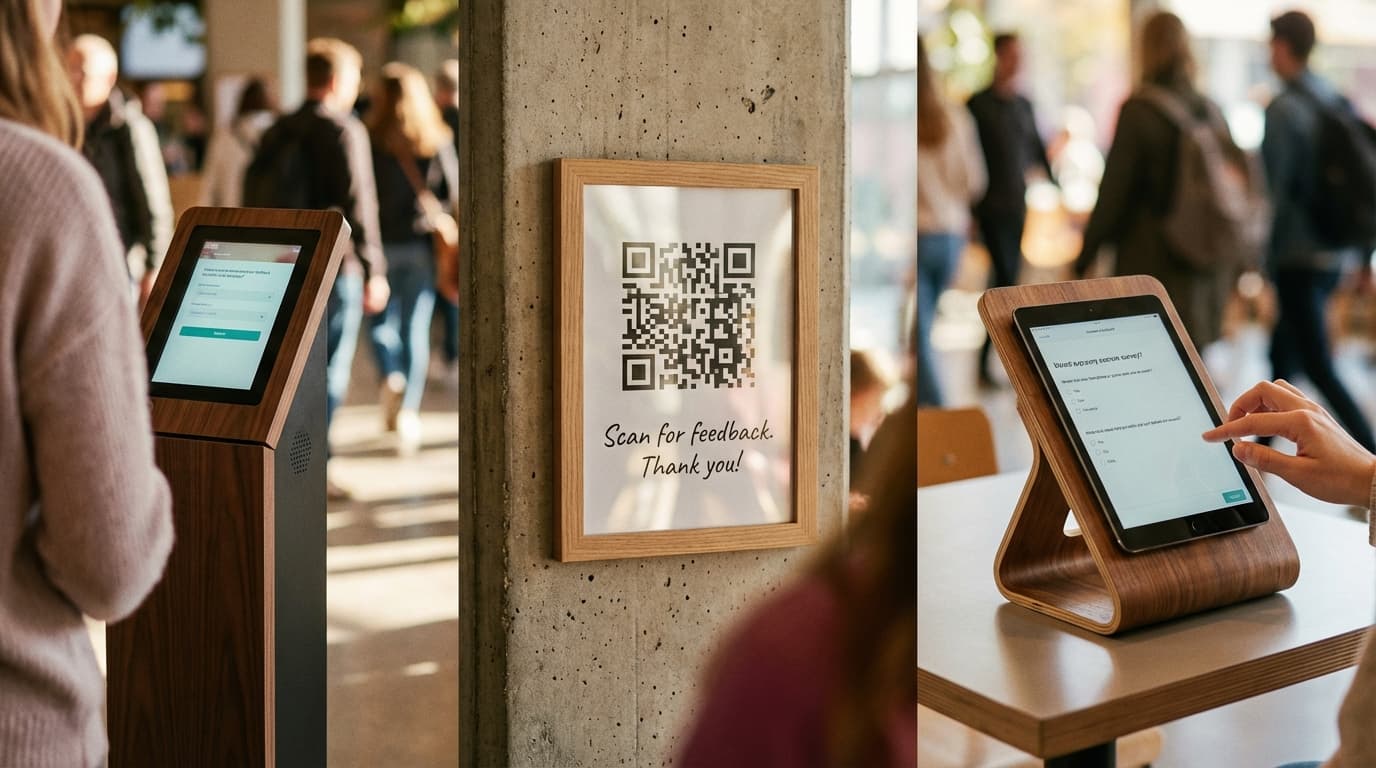
Tablets. Feedback terminals transformed into iPad-like tablets mounted near exits or service points, with more sophisticated survey software.
QR codes. Printed QR codes linked customers to mobile survey forms, accessible via smartphone. Businesses placed QR codes on receipts, at tables, or on signage.
Both approaches increased convenience (familiar devices) but didn’t fundamentally solve the core problems: low participation and shallow open-ended data because typing remains friction.
Generation 4: Voice-Powered Terminals (2020-Present)
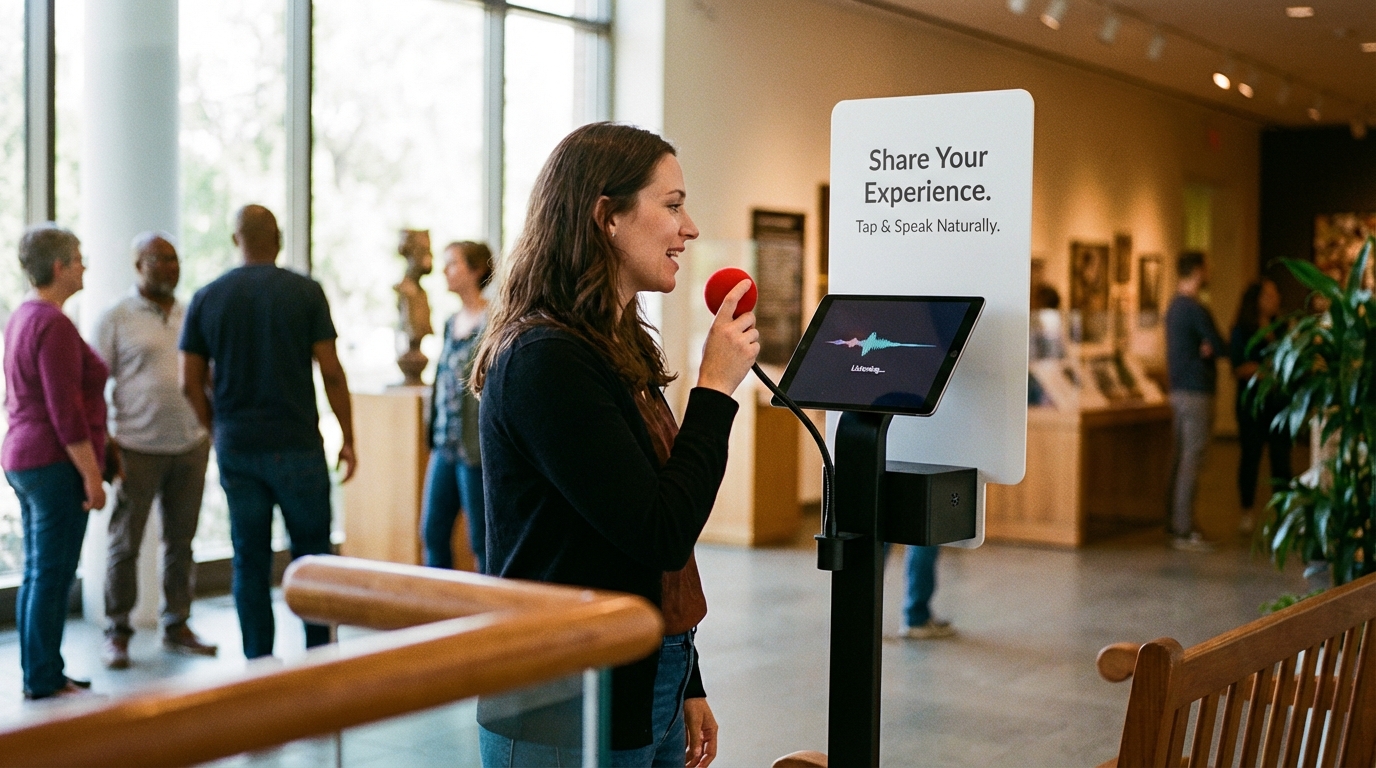
The latest generation eliminates the typing barrier entirely. Voice-powered feedback terminals ask customers to speak their responses aloud.
How it works: 1. A screen displays a question: “What was the highlight of your visit?” 2. A customer speaks their answer into a microphone 3. AI transcribes the spoken response instantly 4. Optional: AI translates to other languages 5. Real-time sentiment analysis categorizes the feedback 6. All data syncs to management dashboards
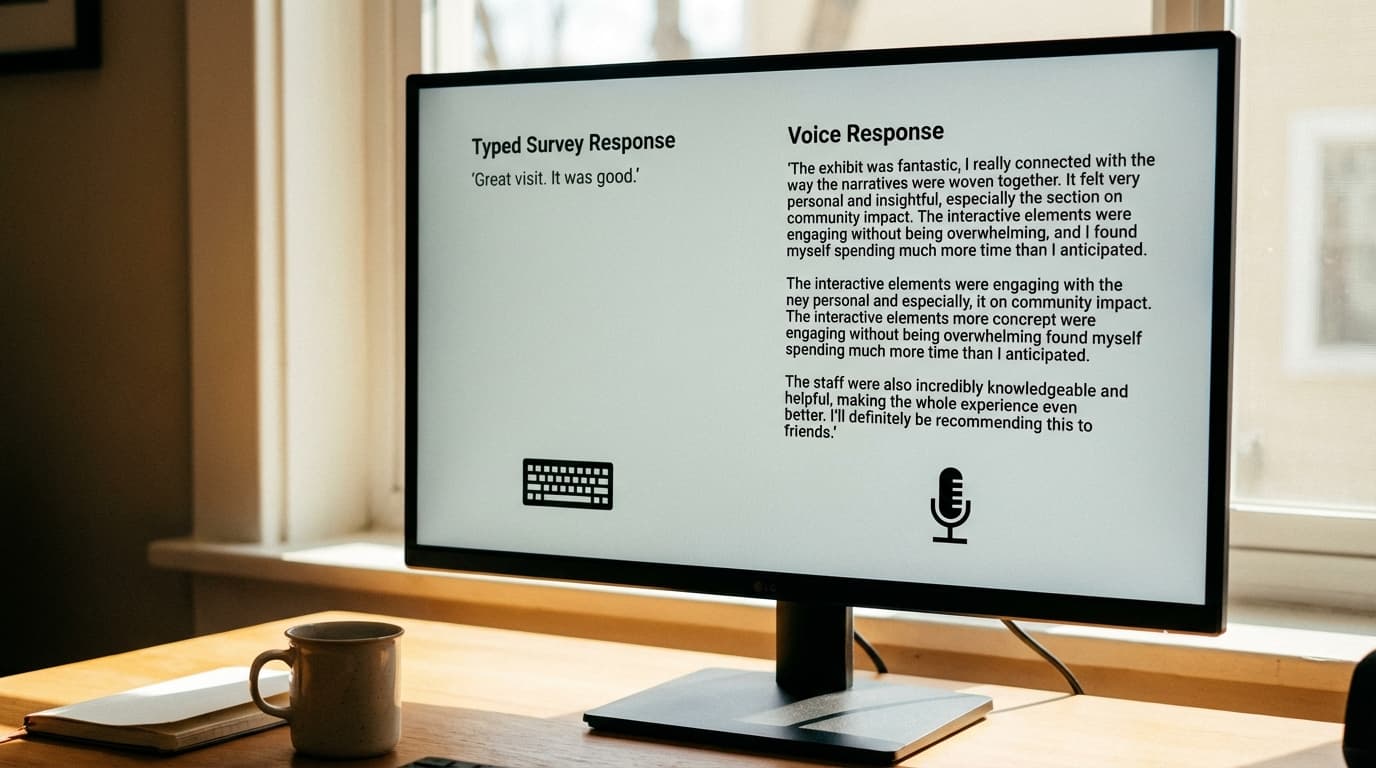
Why voice changes the game: - Speech is 5x faster than typing - Eliminates the typing barrier; participation rates jump from 15% to 50%+ - Captures richer qualitative data (spoken thoughts are fuller than typed comments) - Naturally accommodates non-native speakers - Accessible to people with low literacy, vision impairment, or mobility limitations
Types of Feedback Terminals Today
Modern feedback terminals vary across several dimensions:
By Hardware
Fixed Kiosks. Large touchscreen terminals mounted permanently at exit points or service areas. Common in transit hubs, hospitals, restaurants, museums. Cost: $2,000-$8,000 per unit.
Tablets. iPad or Android tablets, sometimes mounted to stands, sometimes handheld. More flexible (can move locations), lower cost ($800-$2,500 per device), but less durable and smaller screens.
QR-Code Based. No hardware; printed codes link to mobile surveys. Minimal infrastructure cost. Trade-off: lower response rates because it requires customer initiative (scanning, clicking, accessing survey).
Handheld Devices. Staff-operated tablets or stylus devices for in-conversation feedback capture. Used in healthcare, luxury retail, high-touch service environments.
By Input Method
Smiley Buttons. Five-point scale with emoji faces. Fastest but least informative.
Rating Scales. NPS (0-10), CSAT (1-5), or custom scales. Quick, quantifiable, structured.
Touchscreen Text Entry. Multi-choice selections and optional text boxes. Slower, but enables open-ended responses.
Voice Input. Customers speak responses. Slowest to respond but captures richest data and highest participation rates.
By Intelligence
Basic Terminals. Collect data, display thank-you message, upload responses. No on-device analysis.
Smart Terminals. Include basic sentiment detection, automatic categorization, or branching logic (different follow-up questions based on initial response).
AI-Powered Terminals. Real-time natural language processing, multilingual transcription and translation, advanced sentiment analysis, automatic theme extraction, integration with business systems.
Use Cases by Industry
Retail
Feedback terminals at checkout or exits capture post-purchase satisfaction.
What they measure: - Overall store experience - Specific department quality (clothing fit, product selection) - Staff helpfulness - Checkout speed and friendliness
Typical setup: Single kiosk near exit, 10-question survey, 30-second completion time. Large retailers deploy terminals across multiple locations for benchmarking.
Hospitality & Restaurants
Hotels and restaurants use terminals in lobbies, dining areas, or checkout counters.
What they measure: - Food/beverage quality - Service attentiveness - Ambiance and cleanliness - Pricing perception
Typical setup: Multiple quick-fire rating scales, optional comment box. High-end establishments increasingly use voice feedback to capture nuanced guest sentiment.
Healthcare
Hospitals, clinics, and dental offices use terminals to measure patient satisfaction—a metric increasingly tied to reimbursement rates and accreditation.
What they measure: - Provider communication clarity - Wait times - Facility cleanliness - Overall experience and likelihood to return
Challenge: Sensitive environment; privacy concerns affect participation. Voice-powered terminals in private booths address this.
Transport & Airports
Feedback terminals are ubiquitous in airports, train stations, and bus terminals.
What they measure: - Wayfinding clarity - Staff helpfulness - Facility cleanliness and maintenance - Specific service quality (security, boarding process, announcements)
Setup: Multiple kiosks throughout facility, capturing feedback at different journey stages (pre-flight, post-departure, exit).
Museums & Cultural Venues
Increasingly, museums use feedback terminals to measure visitor satisfaction and gather exhibition insights.
What they measure: - Overall visit satisfaction - Specific exhibition reception - Wayfinding effectiveness - Staff and docent interactions
Special consideration: Museums benefit significantly from voice feedback terminals, especially for international visitor populations.
Events & Venues
Concert venues, conference centers, and sporting venues deploy feedback terminals post-event.
What they measure: - Event experience quality - Sound, seating, sightlines - Staff helpfulness - Venue cleanliness - Likelihood to attend future events

How to Choose the Right Feedback Terminal
Selecting a feedback terminal requires balancing several variables:
Budget
Low budget ($500-$2,000): QR codes, basic mobile surveys, or simple tablets. - Pros: Minimal infrastructure, low upfront cost - Cons: Lower response rates, limited analysis capability, manual data management
Mid-range ($2,000-$8,000 per unit): Standard touchscreen kiosks with basic survey software. - Pros: Reliable, proven, industry-standard, moderate response rates (15-25%) - Cons: Limited insight depth, typing barrier remains, manual comment analysis
Premium ($8,000-$20,000+ per unit): AI-powered voice terminals with real-time analysis and multilingual capability. - Pros: Highest participation rates (40-60%), richest qualitative data, real-time insights, accessible to all visitors, automated analysis - Cons: Higher upfront cost, requires staff training on interpreting voice feedback
Required Response Rate
What participation threshold justifies the investment?
If you need 5% feedback coverage, a simple smiley terminal works. If you’re targeting 50%+ response rates to build statistically significant insights, only voice-powered terminals achieve this consistently.
Data Depth Required
Do you need basic satisfaction percentages, or actionable qualitative insight?
- Percentages only: Smiley buttons suffice
- Ratings + themes: Touchscreen with text boxes
- Nuanced sentiment, natural language themes, translation: Voice terminals with AI
Accessibility Requirements
Different terminals accommodate different populations.
- Vision impaired visitors: Voice terminals essential
- Low literacy populations: Voice preferred
- International visitors: Voice with translation capability essential; text-based terminals miss this audience entirely
- Elderly visitors: Larger touchscreens or voice, avoiding small buttons
- Parents with young children: Voice (hands-free) preferred
Integration Needs
Does the terminal need to integrate with existing systems?
- Standalone: Simple QR surveys or basic kiosks
- CRM/Analytics Integration: Mid-range kiosks syncing to dashboards
- Advanced Integration: Linking feedback to customer profiles, operational systems, real-time alerts for low satisfaction scores
The Next Generation: Voice-Powered Feedback Terminals
The most sophisticated feedback terminals today use voice input combined with AI analysis.
Why Voice Changes the Game
Higher participation. Speaking feels natural. Response rates jump from 15-20% to 40-60%.
Richer data. Speech generates 5x more words than typing in the same timeframe. Longer responses yield richer qualitative themes.
Better accessibility. Voice accommodates non-native speakers, people with low literacy, visually impaired visitors, and those with mobility limitations.
Multilingual. AI transcribes and translates simultaneously. A visitor speaks in French; the system transcribes in French and translates to English, Spanish, and Mandarin for analysis.
Real-time analysis. AI sentiment analysis, keyword extraction, and theme detection happen instantly. Management dashboards show live feedback themes and satisfaction trends—not weekly reports.
Emotional authenticity. Tone of voice, hesitation, and enthusiasm convey meaning that text cannot. “Great experience, but…” spoken with doubt means something different than typed.
Implementation Considerations
Voice terminals require:
- Soundproof booth or quiet location (to avoid background noise interference)
- Privacy assurance (customers must feel comfortable speaking candidly; transparent data policies essential)
- Staff training on interpreting voice feedback and responding to sentiment signals
- Clear signage (not all customers expect to speak into a kiosk; guidance is necessary)
The Business Case for Feedback Terminals
Why invest in feedback terminals at all?
Direct ROI: - High-satisfaction customers become repeat customers and referrers - Identifying and fixing pain points (long wait times, unclear signage, staff issues) removes friction - Real-time feedback enables rapid response; a consistently low satisfaction score prompts investigation and correction within days, not quarters
Strategic ROI: - Data-informed decisions beat gut-feel decisions - Competitive benchmarking (how do we compare to similar venues?) - Accountability (staff and leaders see consequences of their service quality)
Operational ROI: - Customer feedback identifies which investments (renovations, new services, staffing changes) actually matter to the population you serve - Employee motivation (staff responding to customer praise, accountability for complaints)
Conclusion
Feedback terminals have evolved from novelty smiley buttons to sophisticated AI-powered systems. Today’s terminals capture customer feedback faster, more thoroughly, and more actionably than any previous method.
The choice isn’t whether to collect feedback—smart businesses do this systematically. The choice is which terminal type matches your venue, budget, and insight requirements.
For most venues, basic smiley terminals remain common but increasingly obsolete. Mid-range touchscreen kiosks work if your audience is primarily native English speakers without accessibility needs and you’re satisfied with 15-25% participation rates.
But institutions serious about understanding their customers deploy voice-powered feedback terminals—capturing authentic voice feedback at scale, across languages, in minutes.
The venues and organizations leading customer experience aren’t collecting more feedback. They’re collecting smarter feedback—with terminals that capture what customers actually think, not what they’re willing to type in 30 seconds.
Want to implement voice feedback in your venue? Learn how SaySo’s feedback terminals capture authentic customer insights across industries.